

How to Use Your Spectrum Pro Mask
← Back to the Spectrum Pro Mask
LUMOVEX · QUICK START GUIDE
Getting started with your Spectrum Pro Mask
Everything you need to know about our LED face mask and how to get the best results.
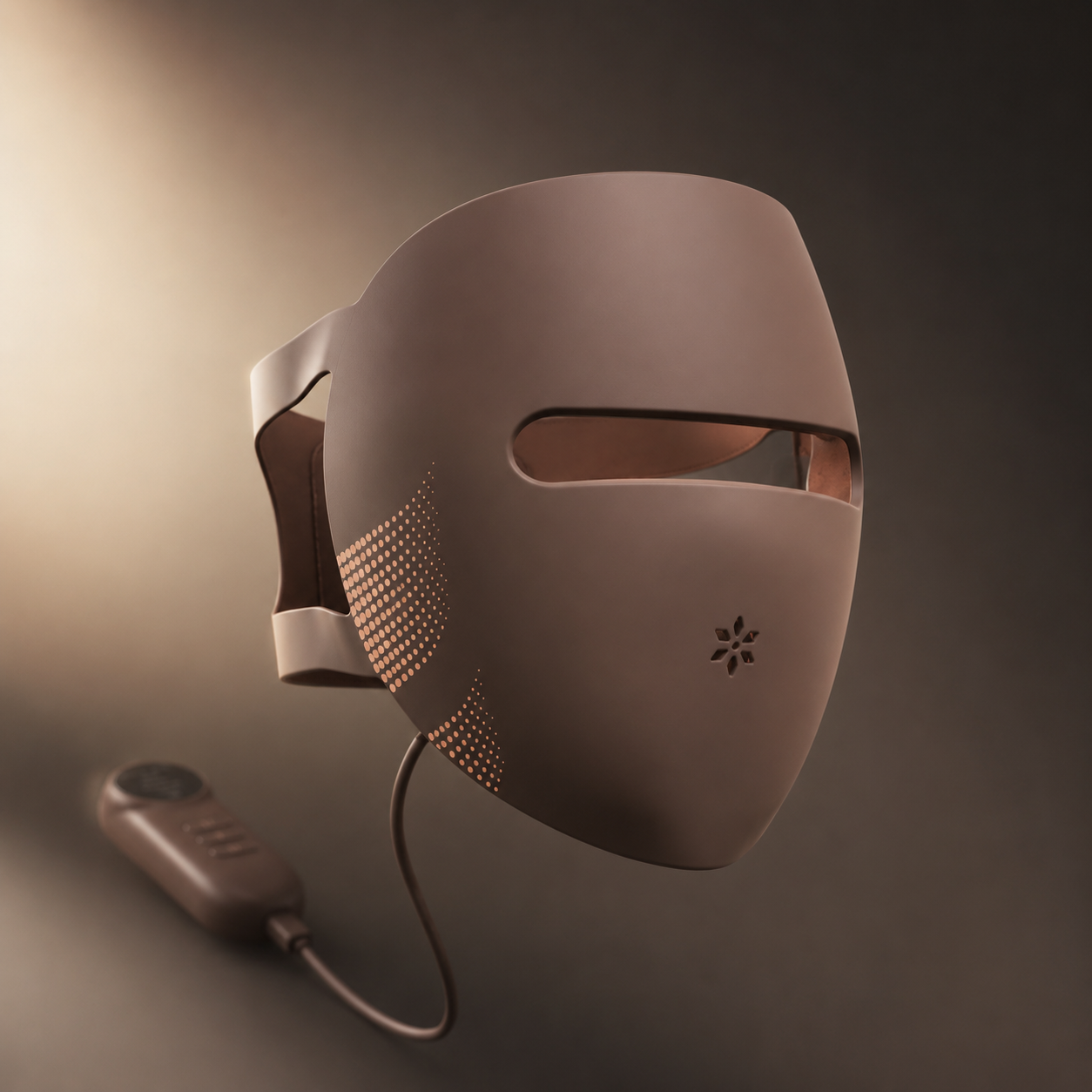
What's in the Box
- Spectrum Pro Mask
- Controller unit
- USB-C charging cable
- Quick start guide
First-Time Setup
-
STEP 01
Charge: Connect controller to USB-C and charge fully (2-3 hours)
-
STEP 02
Connect: Plug controller cable into the mask
-
STEP 03
Adjust: Use the built-in straps for a comfortable, secure fit
How to Use
-
STEP 01
Cleanse: Start with clean, dry skin — no serums or moisturisers
-
STEP 02
Position: Place mask over face, adjust straps
-
STEP 03
Select mode: Press button to cycle through colour modes
-
STEP 04
Relax: Close your eyes and enjoy — the mask does the work
-
STEP 05
Finish: Apply your favourite serum after treatment for enhanced absorption
4 Light Modes
- Red (660nm): Collagen production, anti-aging, fine lines and wrinkles
- Amber (590nm): Supports calmer-looking skin and a more balanced complexion
- Green (525nm): Calming, reduces redness, evens skin tone
- Near-Infrared (850nm): Deep tissue healing, inflammation, cellular repair
Recommended Routine
- Frequency: Daily or 5 times per week
- Duration: 10 minutes per session
- Best time: Morning (glow boost) or evening (repair mode)
Pro Tips
- Use after cleansing, before serums
- Vitamin C serum after treatment amplifies results
- Stay consistent — results build over 4-8 weeks
- Relax your face muscles during treatment
Care Instructions
- Wipe interior with soft cloth after each use
- Store away from direct sunlight
- Don't submerge in water
Here to help
Need a hand with your Spectrum Pro Mask? Get in touch with our UK-based support team.
2-year manufacturer’s warranty.